


LinkedIn offers recruiters a wealth of potential candidates, but finding and connecting with the right people takes a considered approach.
1. Common challenges recruiters face on LinkedIn
- Account restrictions: These often result from sending too many connection requests, messaging people in bulk or posting spam.
- Ineffective searches: Searching only by the advertised job title or using isolated keywords can fail to reach relevant candidates.
- A limited candidate pool: Returning to the same small groups of candidates for current vacancies, without expanding your industry network, restricts your access to potential candidates.
- Posting as you would on Facebook: Facebook tends to support a more passive approach centred on posting vacancies. LinkedIn calls for proactive outreach and ongoing relationship building.
💬 A familiar example: A recruiter posts a “Sales Executive” vacancy without specifying the product, target customers or required skills. Dozens of candidates apply, but none meets the requirements.
2. How to find relevant candidates on LinkedIn without a paid account

Search directly using keywords:
- Use quotation marks (“) to search for an exact phrase.
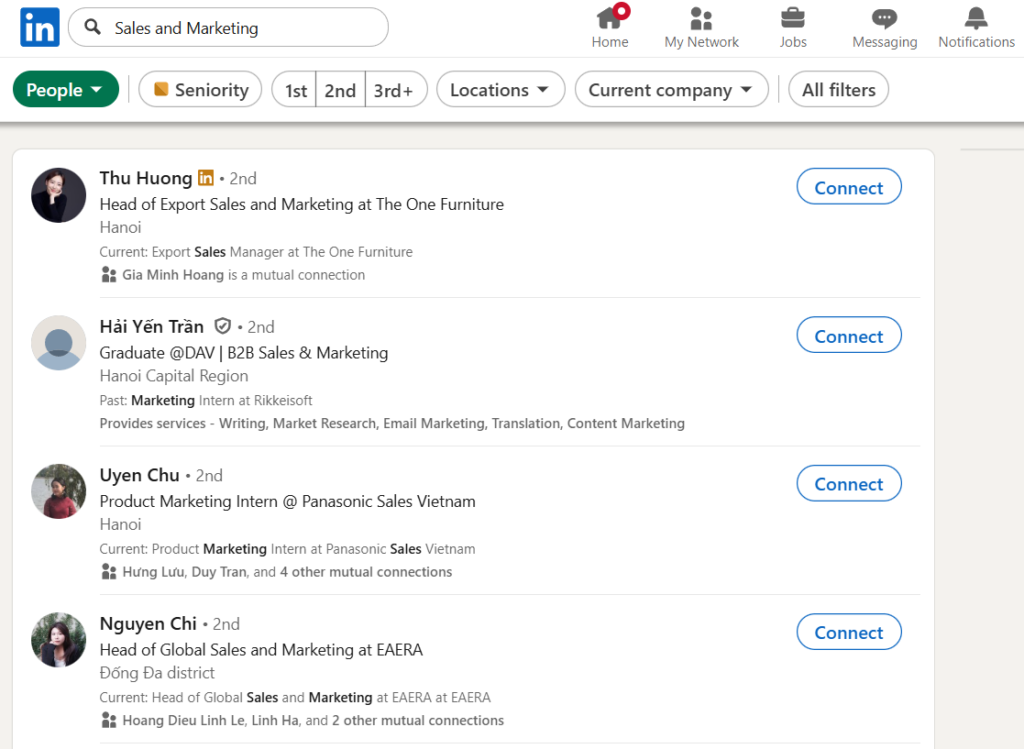
💬 Example: Searching for “Sales and Marketing” and Sales and Marketing on LinkedIn produces 2 different sets of results.
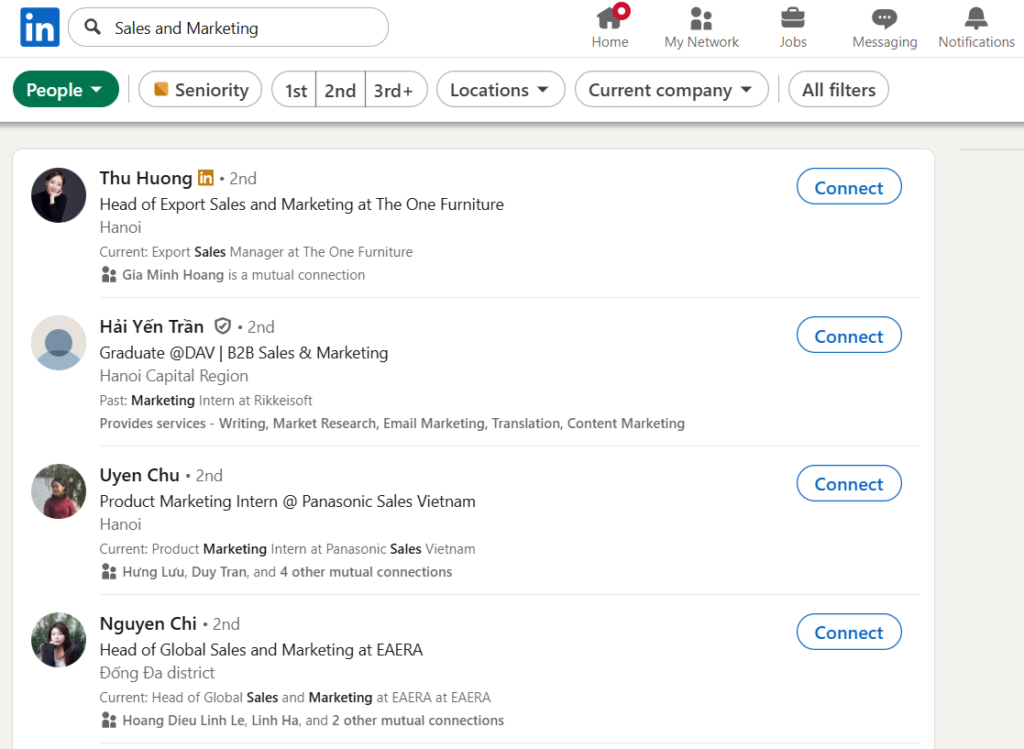
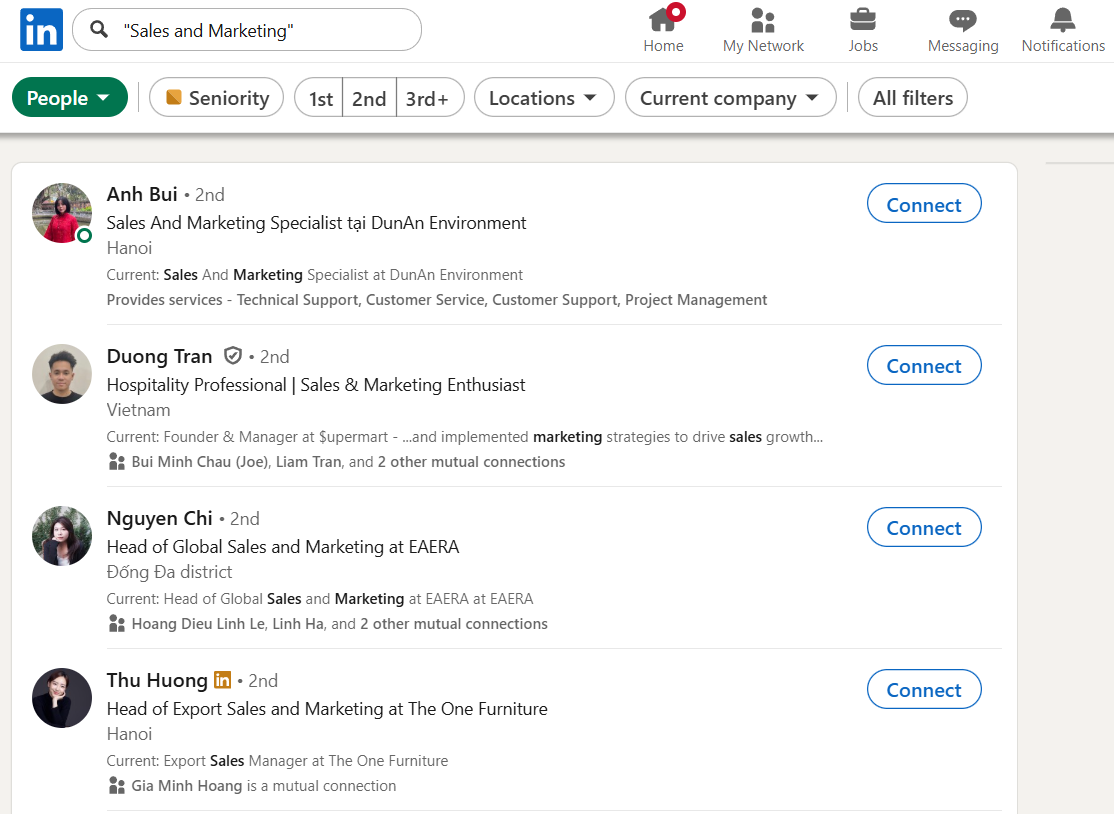
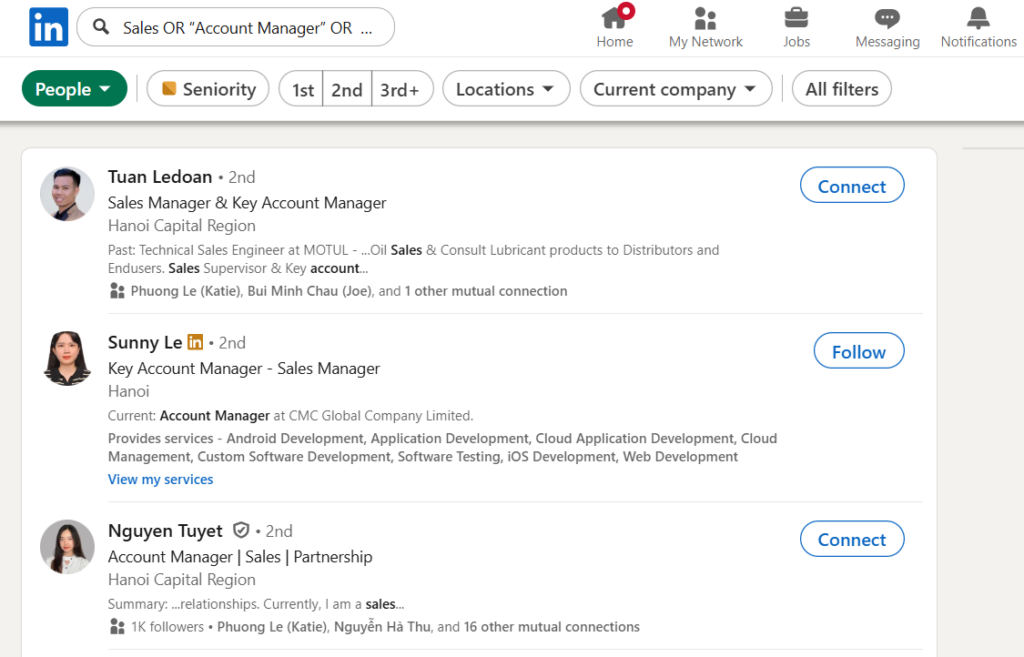
- Use AND to find candidates who meet all specified criteria, and OR, NOT to broaden or narrow the results.
💬 Example: [Sales OR “Account Manager” OR “Sales Manager”]
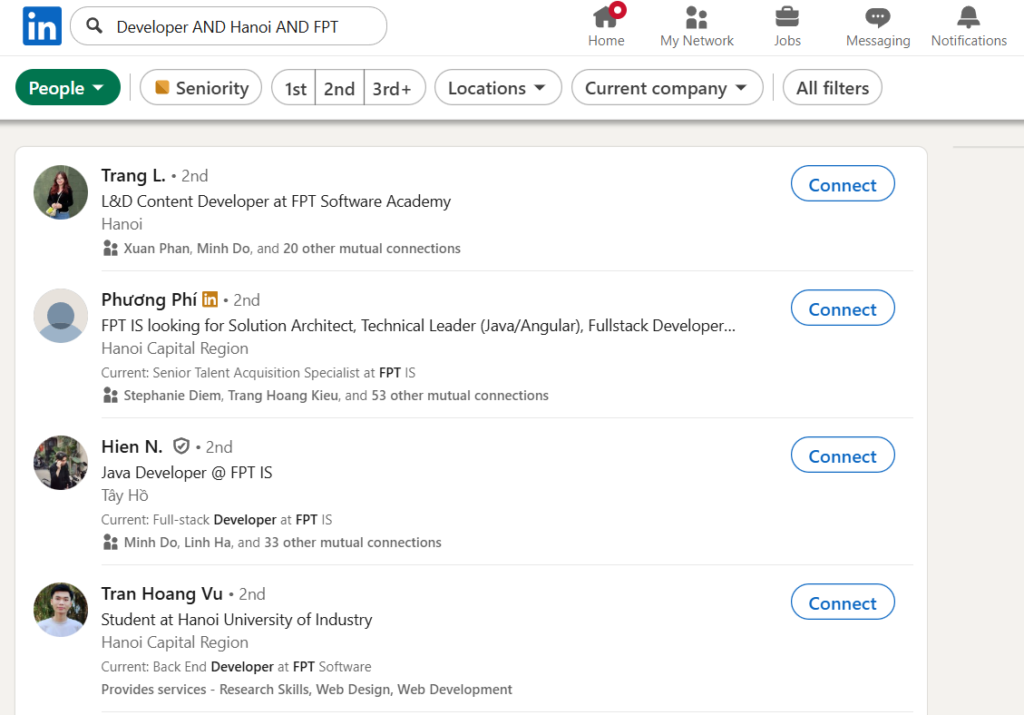
💬 Example: [Developer AND Hanoi AND Vinfast]
Search by skills or equivalent job titles
Example: Expand a search for “Account Manager” to include “Client Executive” or “Relationship Manager”.
Find candidates through posts and networks:
Entering keywords in the search bar is a conventional way to find candidates. You can also use the following approaches:
- Look at posts by managers or HR professionals in the relevant industry. Check who has liked or commented on them to identify candidates to connect with.
- Review candidates’ posts, including those announcing a job search or sharing resources. Candidates often include an email address or phone number.
- Build connections with HR professionals and executive search consultants. When they engage with your posts, their followers also see your content.
3. Create posts that attract candidates on LinkedIn
- Write a clear, engaging headline: Include the job title + salary + location.
💬 Example: “Hiring: Senior Java Developer | Up to $2000 | Remote”
- Choose relevant hashtags: Consider the terms candidates would search for, including the job title, experience level, requirements and industry.
Alongside #tuyendung, add hashtags such as #backenddev #remotejob #seniorlevel.
- Highlight what makes the role attractive: Go beyond the requirements to describe benefits such as an international working environment, flexible overtime arrangements or a supportive team.
- Vary your posts: Test different formats to see which achieve better reach, including informative posts, stories, images and illustrated PDFs.
4. Maintain your personal LinkedIn presence
- Make connections every day: Prioritise people who have engaged with content related to the relevant industry.
- Mix job advertisements with posts that encourage discussion. Share career perspectives, recruitment experience and real situations.
- When your account is new, share posts with friends and ask them to like and comment to increase initial visibility through LinkedIn’s algorithm.
5. Avoid crossing LinkedIn’s boundaries
- Respect diversity: Do not specify gender or nationality unless it is necessary for the role.
- Avoid spam: Sending connection requests in bulk or identical messages can easily trigger spam warnings.
Key takeaways:
Alongside posting vacancies, you can use LinkedIn to:
- Expand your industry network.
- Build your personal reputation as a recruiter and your organisation’s employer brand.
✍️ More from CNK Insights: The Candidate Persona Map You May Be Overlooking in Recruitment
CNK Consulting Vietnam
Hotline: +84 369 882 579
Email: info@cnk-consulting.com.vn
Address: 12BT6, Thanh Bình Urban Area, No. 3 Nguyễn Cảnh Dị, Định Công Ward, Hanoi
Receive workforce market updates
Recruitment, talent market and workforce development updates from CNK.